
How to declare taxes in Germany as an App Developer

I released my first app in April 2023. Since then, I published 10 more apps. Before I started my app development journey, I had so many questions about having an app business, especially when it comes to taxes in Germany.
Over the years, I’ve successfully submitted my tax returns without any issues. Thanks to a blog post in German, I had a starting point. So I thought it would be nice to share how I file my taxes, similar to that blog post, so other app developers can do it in a similar way.
I know that many people would like to develop apps and sell them on the App Store, especially with the rise of agentic coding, but they are hesitant because they are scared of the Finanzamt and don’t want to deal with the bureaucracy or pay hundreds of euros for a tax advisor. This is especially true if you need one who understands how the App Store works and can also speak English.
I have to mention that I’m not a tax advisor. The way I describe below is how I submit my tax returns, but your case could be different, or I might be doing something wrong. So I don’t take any responsibility for any issues this post might cause. I just want to give you a starting point so you can figure out what you need to do.
Before going into the details, I should mention that I have an Einzelunternehmen. If you don’t have one, this should be the first thing you set up if you’re not planning to form a company. You have to apply for an Einzelunternehmen in your city, and also for a new tax ID. If you’re living in Hamburg, you can do that online through the form here. For getting a tax ID, you can use the form here on Elster or use the English form here.
I should also mention that the revenue from the App Store is my only revenue. So if you have different revenue sources like freelancing, you might need to fill in your forms differently.
I use the AusweisApp to log in to Elster. Elster (short for Elektronische Steuererklärung) is the official online platform from the German tax authorities where you submit your tax returns. It is completely free to use.
So let’s get started.
The forms
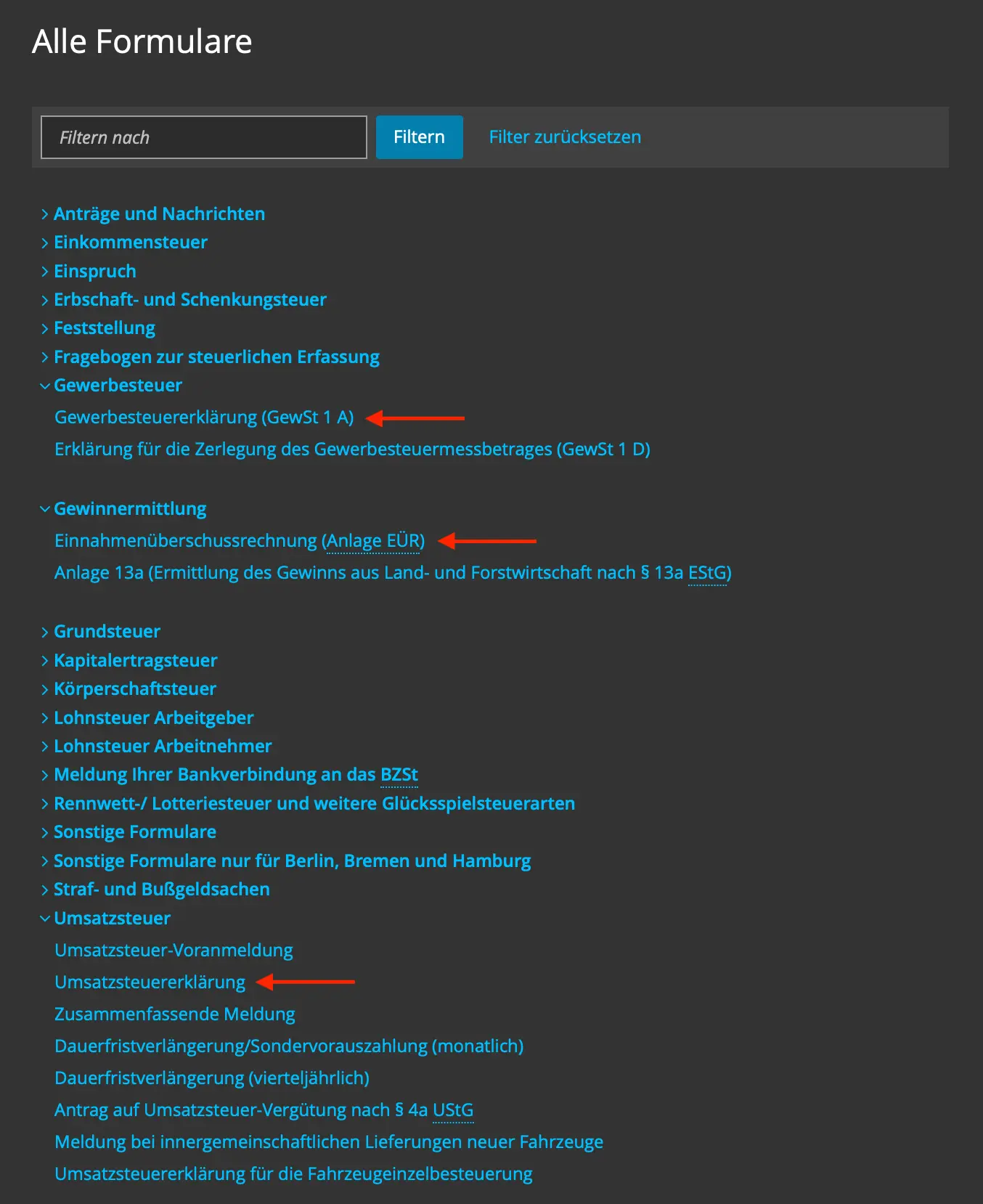
If you don’t count your normal income tax form (if you also work full-time for example), there are three forms you have to submit for every calendar year. These are:
- Einnahmenüberschussrechnung (Anlage EÜR)
- Umsatzsteuererklärung (USt)
- Gewerbesteuererklärung (GewSt 1 A)
The first one is the main tax form that shows how much you earned from your app business and how much you spent. The second form is for sales tax. This is quite simple because if you only have an app business like I do and receive money directly from Apple or Google, and since they handle the sales tax, you basically declare your sales tax as zero. The third one is for trade tax. You use the total profit from the first form here. Depending on your state and your profit, you might need to pay trade tax on top of income tax. This one is also quite straightforward.
Einnahmenüberschussrechnung
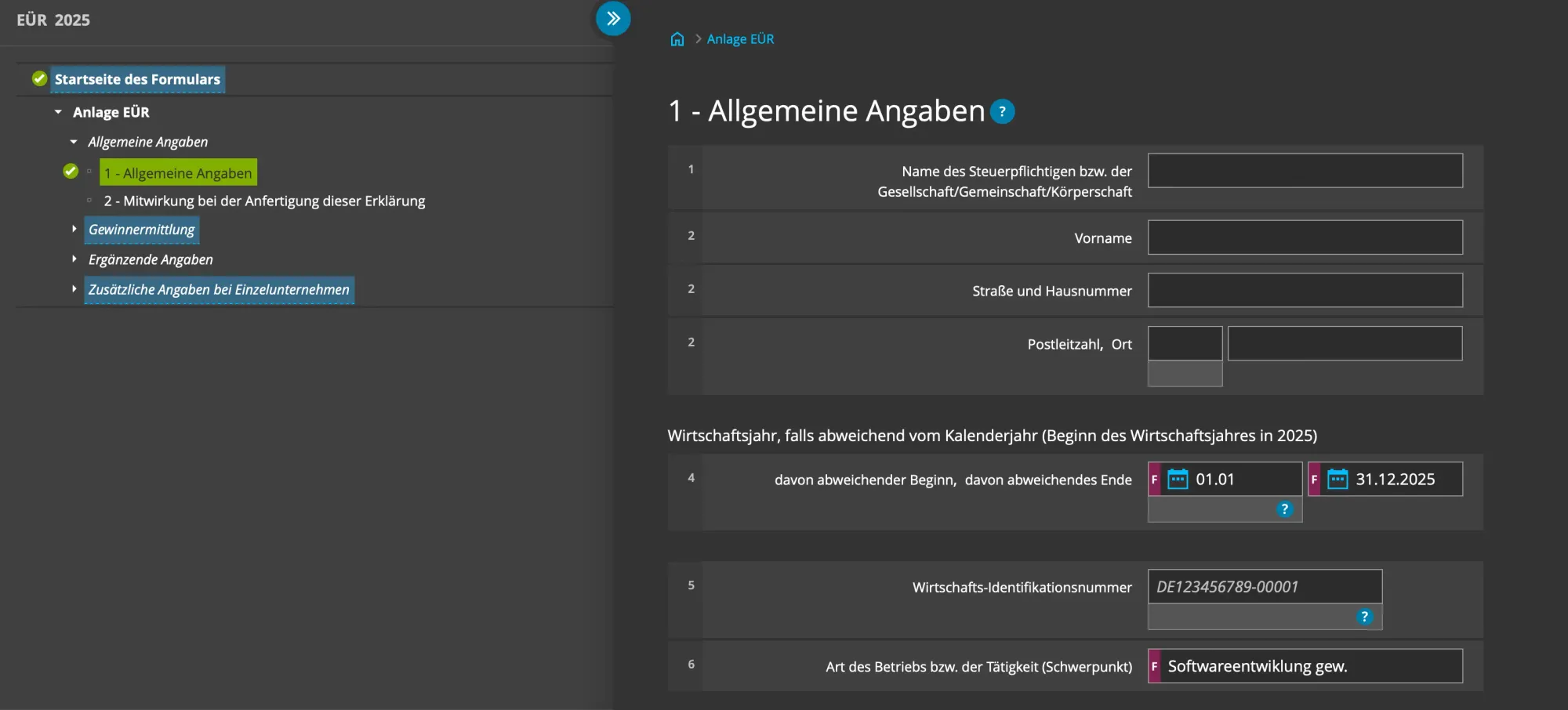
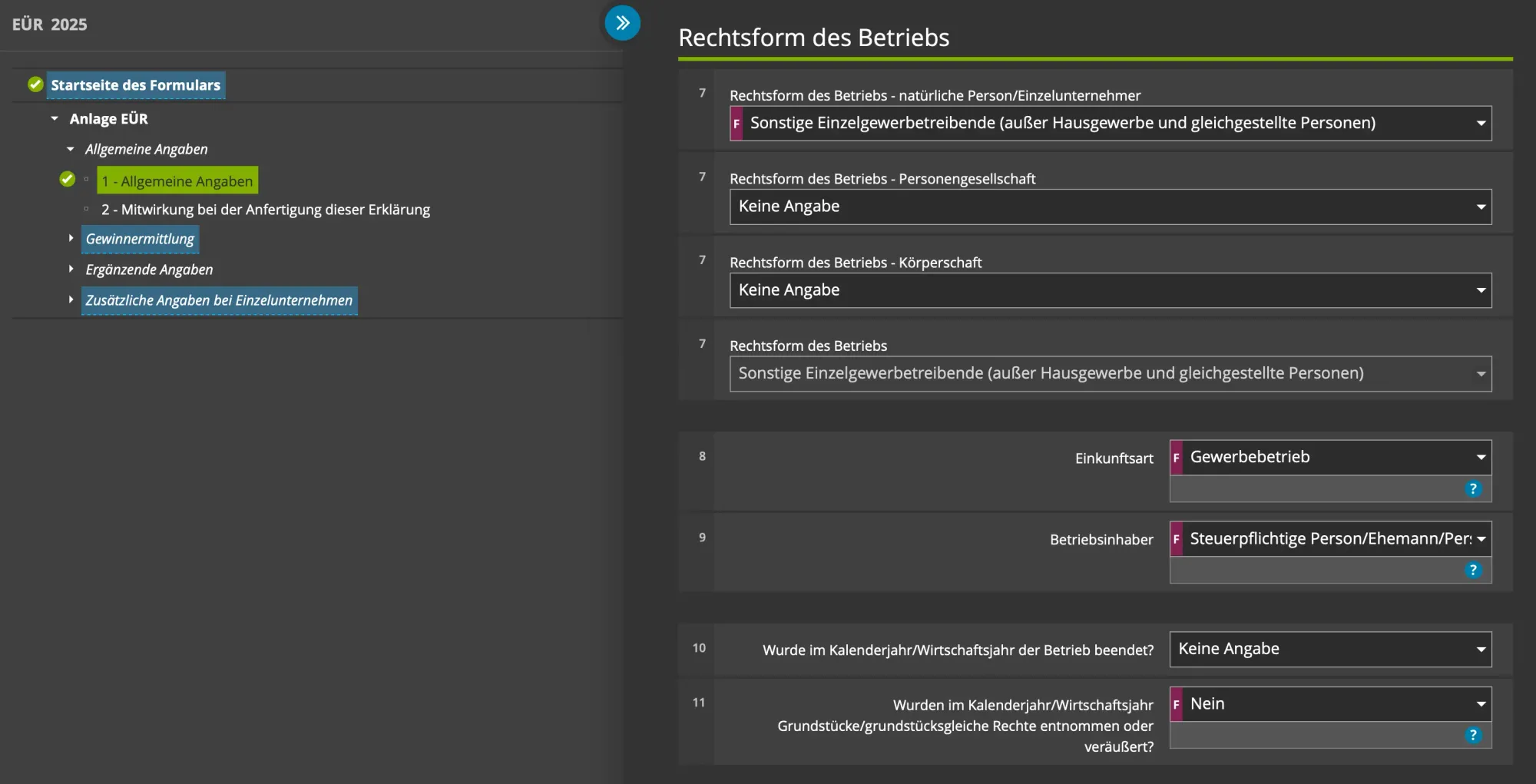
On the first step (Allgemeine Angaben) of the EÜR form, you fill in your personal details like first name, last name, and address. The important part is the 4th field. Here you enter the start date of your business and the end of the year. Your business start date is normally written on the letter you receive from the city after you apply for Einzelunternehmen. The 6th field is the type of your activity, which is software development for trade. The 7th field might be different if you also work as a freelancer. The 8th field is the type of income, which is commercial. The 9th field is the business owner, in our case the person filling the tax form. The 10th and 11th fields are not relevant if you didn’t close your business during the calendar year.
After entering the details about your business, it is time to enter the numbers. For that, you start with the third step (Betriebseinnahmen). Since Apple pays the sales tax, as an app developer you only receive the payment after sales tax. So you have to pick the field that fits our case, which is “Betriebseinnahmen, die umsatzsteuerfrei oder nicht umsatzsteuerbar sind oder nach §12 Abs. 3 UStG dem ermäßigten Steuersatz von 0 % unterliegen oder für die der Leistungsempfänger die Umsatzsteuer nach § 13b UStG schuldet”.
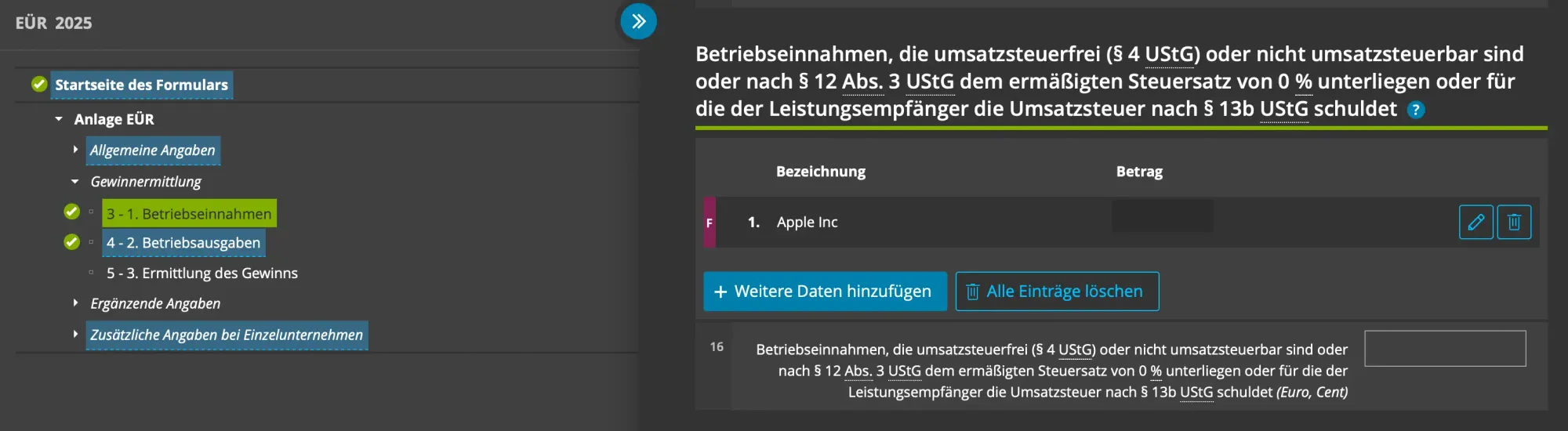
Since I only develop apps for the App Store, I enter the money I received from Apple during the calendar year. The important thing here is that you don’t enter how much sales or proceeds you had in, let’s say 2026, the number you see on App Store Connect. You enter the amount of money you actually received from Apple during the calendar year. For Apple, this is mostly the November and December payments from the previous year, and the payments from January to November for the declared calendar year. This could be different depending on when you receive the payment, but you always declare the money that landed in your bank account during the calendar year.
If you also develop apps for Google, following the same logic, you can add a second line item in this field.
Once you are done with the income part, you can move to the next step (Betriebsausgaben) for the business expenses.
On this section, there are multiple steps depending on the expense types:
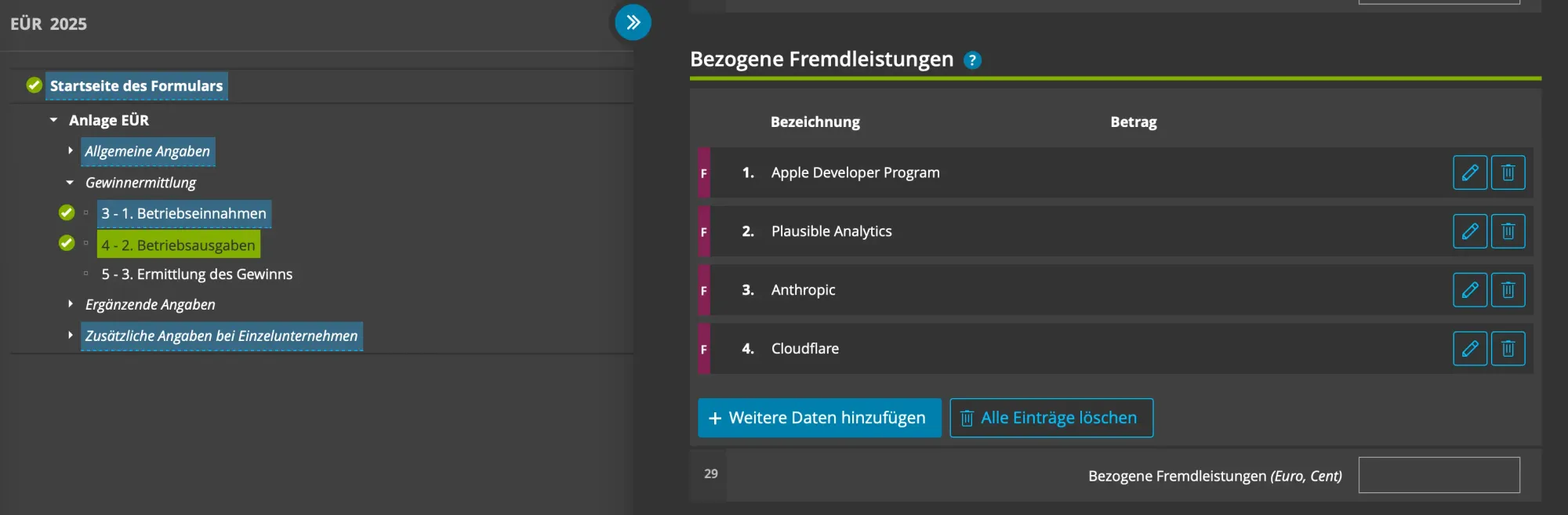
- Bezogene Fremdleistungen: This is the field where I add the cost of the Apple Developer Program, and other services I use like Claude Code, Plausible Analytics, Cloudflare, etc.
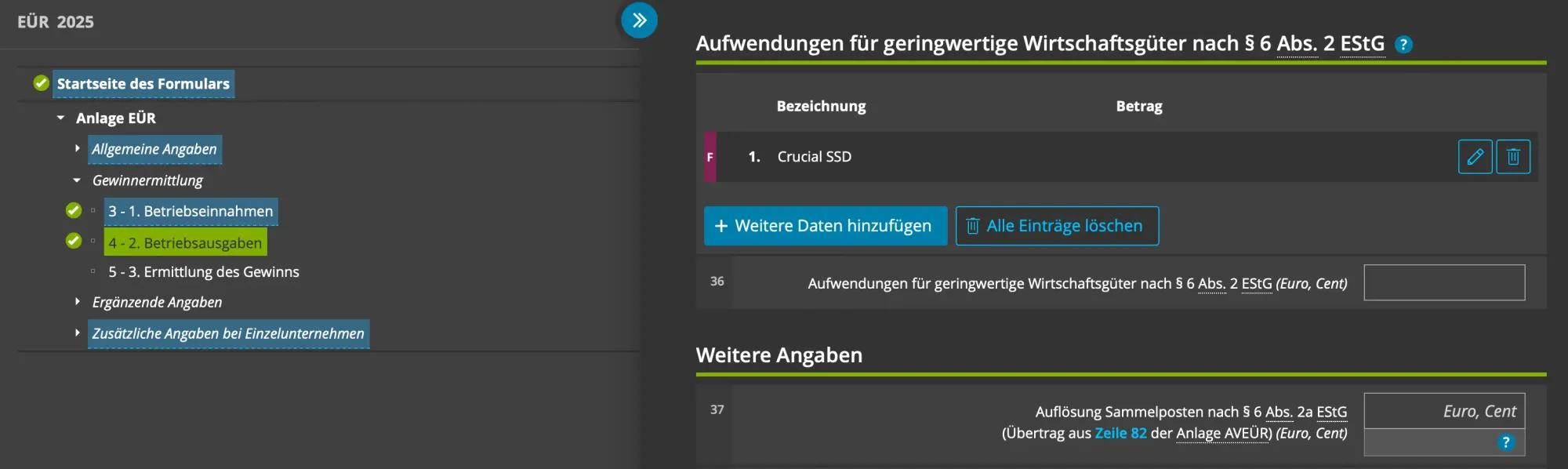
- Aufwendungen für geringwertige Wirtschaftsgüter nach § 6 Abs. 2 EStG: This one is for hardware you bought for your business. For example, if you bought an iPad as a test device or an SSD for backup.
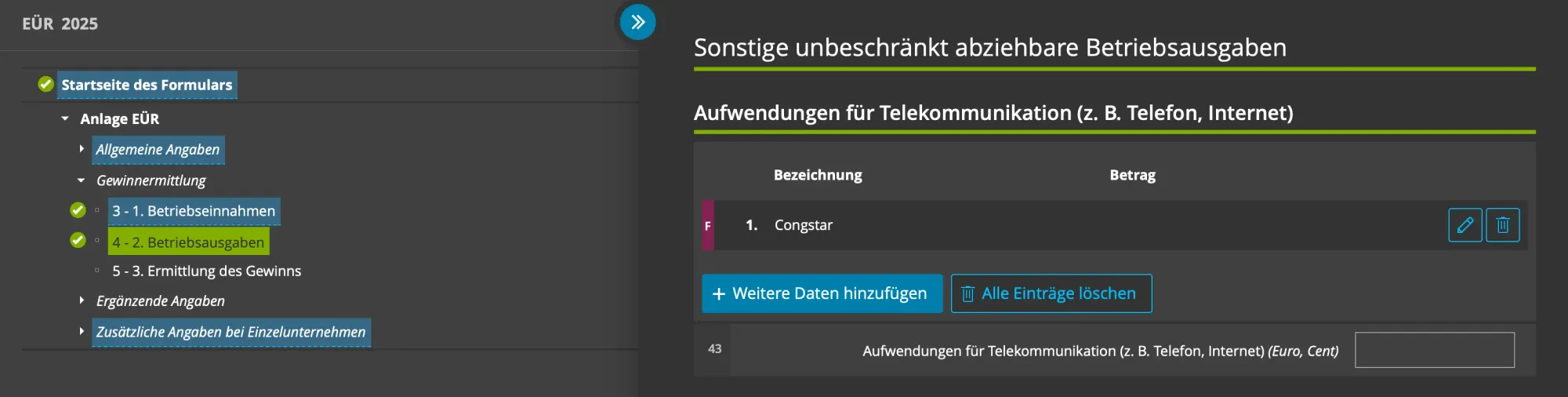
- Aufwendungen für Telekommunikation: This field is for communication expenses. I don’t put my internet bill here because I also work part-time at a company and that job takes up most of my time. On the other hand, I add the cost of the cellular package I use for the phone number I share on the App Store, because that number is used only for business purposes.
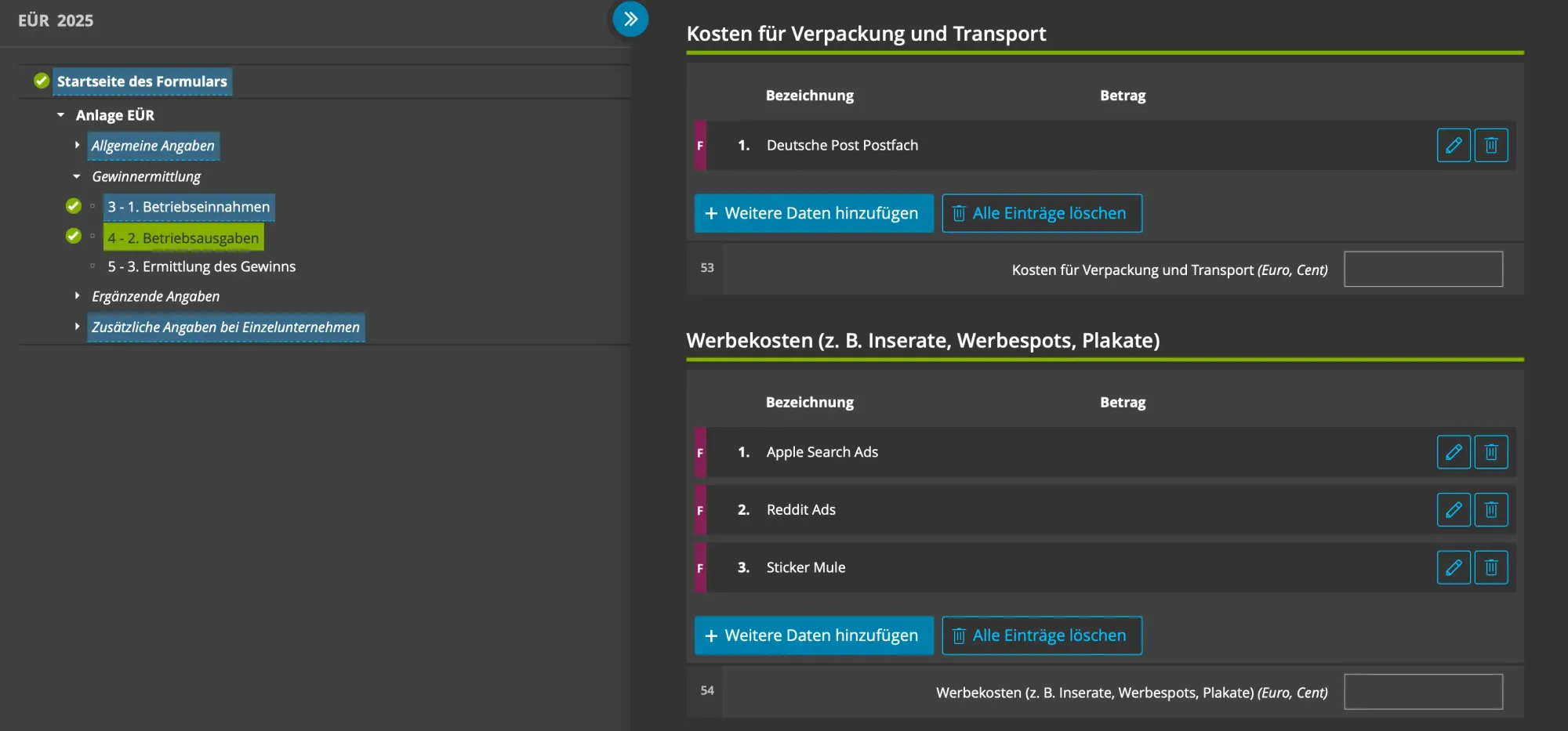
- Kosten für Verpackung und Transport: This is the field where I enter the cost of the post box I rent from Deutsche Post. If you send packages, you can probably also add those here.
- Werbekosten (Z. B. Inserate, Werbespots, Plakate): This is the field where I add the cost of advertising like Apple Search Ads.
Once you are done with the expenses, you have to fill in two more fields in section seven (Entnahmen und Einlagen i. S. d. § 4 Abs. 4a EStG), but in most cases they won’t be relevant. These fields tell the Finanzamt how much money you added to your business account or how much you withdrew. This could be relevant if you manage a separate business account and spend money from it for personal expenses, or if you earn interest from your business bank account.
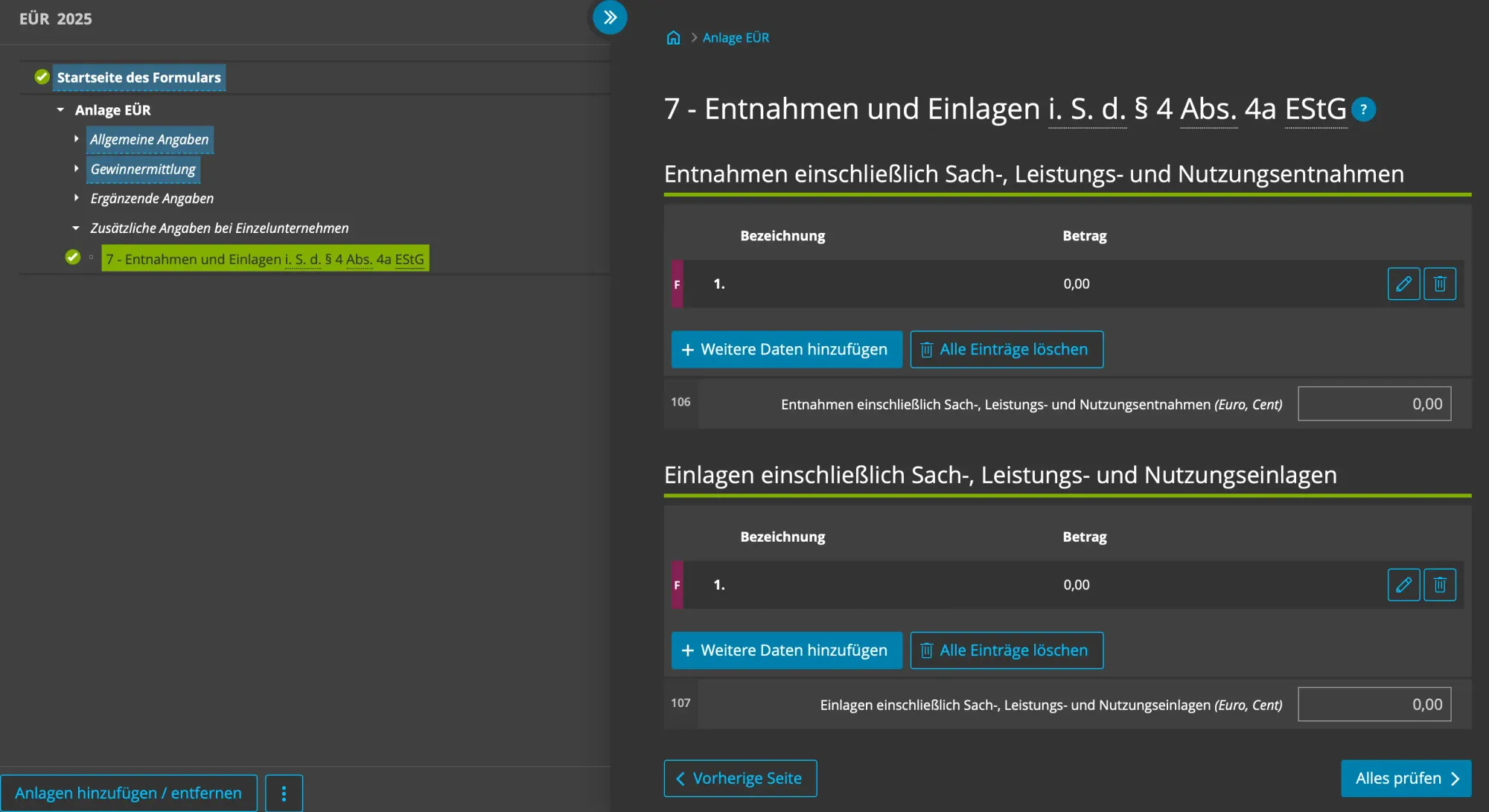
In this section, you find the fields “Entnahmen einschließlich Sach-, Leistungs- und Nutzungsentnahmen” and “Einlagen einschließlich Sach-, Leistungs- und Nutzungseinlagen”, then enter a line item with “0”.
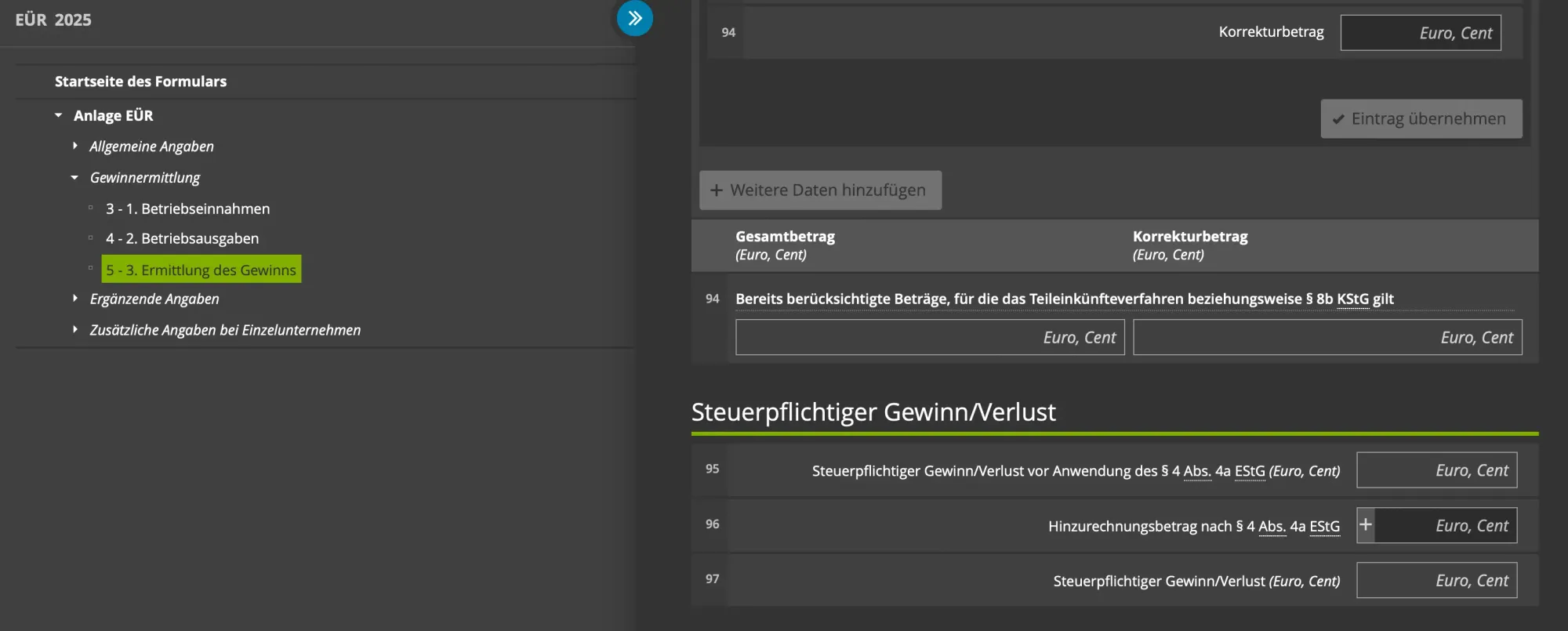
That’s it for the EÜR form. If you have different kinds of expenses, you might need to find the relevant fields. Before completing this form, make sure you write down the number in section five (Ermittlung des Gewinns), under the “Steuerpflichtiger Gewinn/Verlust” title, in the field “Steuerpflichtiger Gewinn/Verlust”. This number is your taxable profit or loss. You will need it for the trade tax form.
Umsatzsteuererklärung
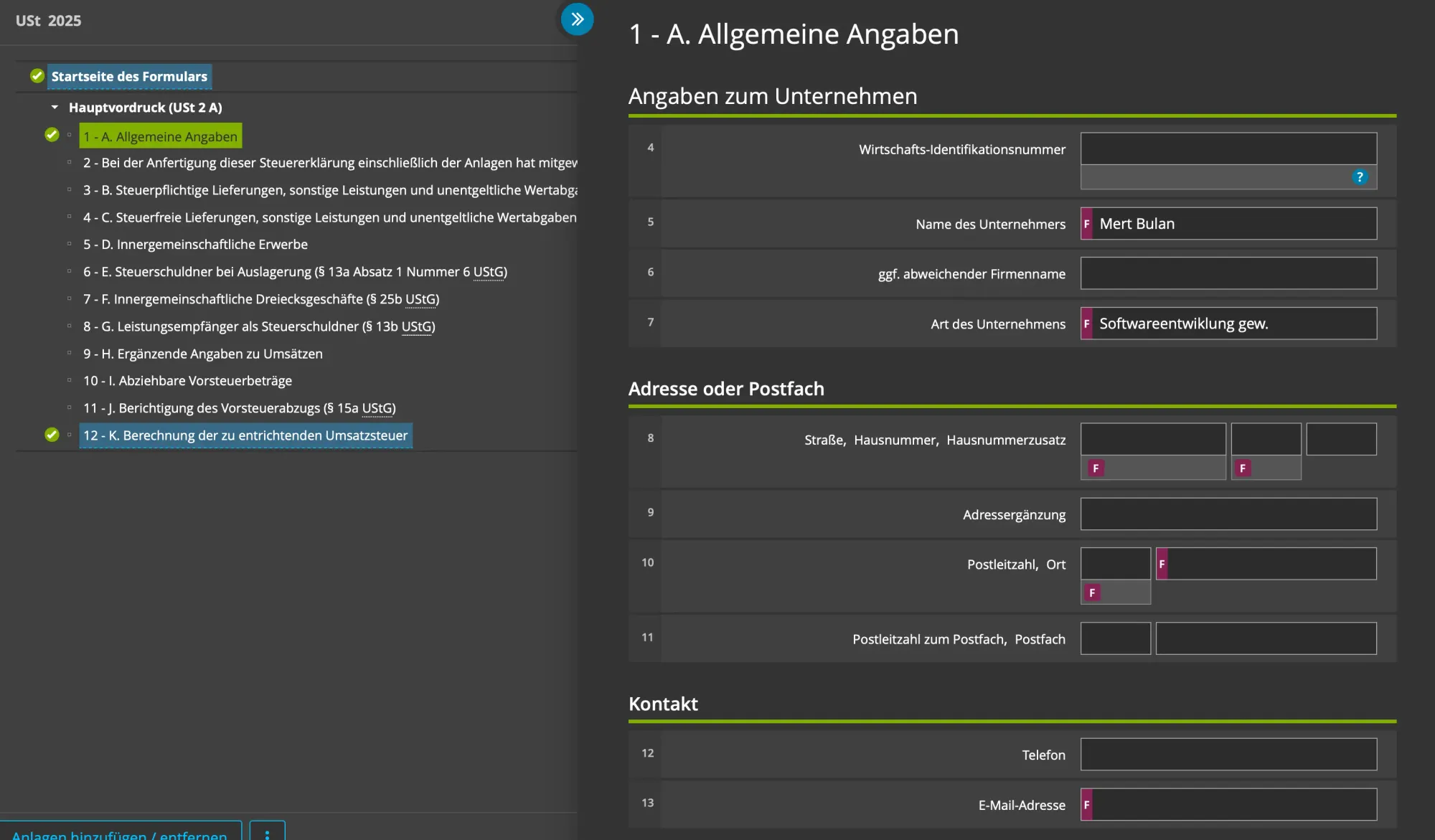
As I mentioned before, since Apple handles the sales tax, you don’t need to declare any sales tax. After filling in the similar “Allgemeine Angaben” in the first section, under the “Art der Besteuerung” title, you select “vereinbarten Entgelten (§ 16 Absatz 1 Satz 1 UStG)” for the “Die Steuer wurde berechnet anhand:” field. When you buy something from the App Store, the VAT is already shown on the invoice. The VAT is due when the invoice is issued, which is why you select this option.
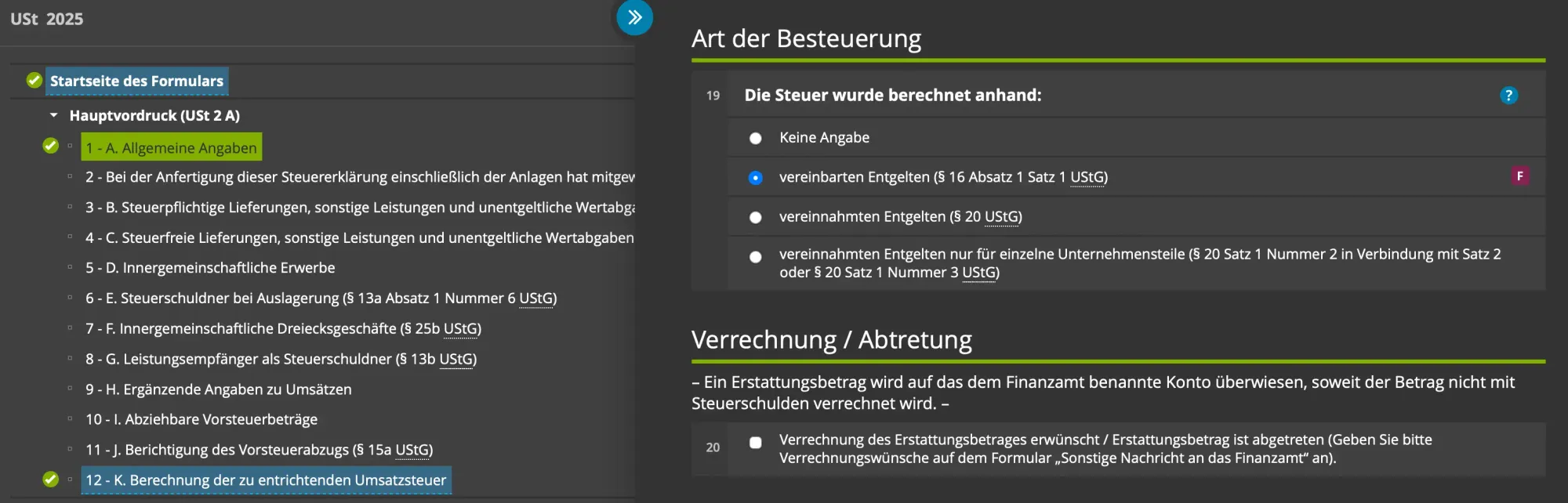
Then, you jump to section twelve (K. Berechnung der zu entrichtenden Umsatzsteuer), scroll down to “Steuer”, and fill in the fields “Manuelle Eingabe der verbleibenden Umsatzsteuer / des verbleibenden Überschusses” and “Vorauszahlungssoll 2025 (einschließlich Sondervorauszahlung)” with “0”. Here you are saying that there is no remaining VAT and there was no advance VAT payment.
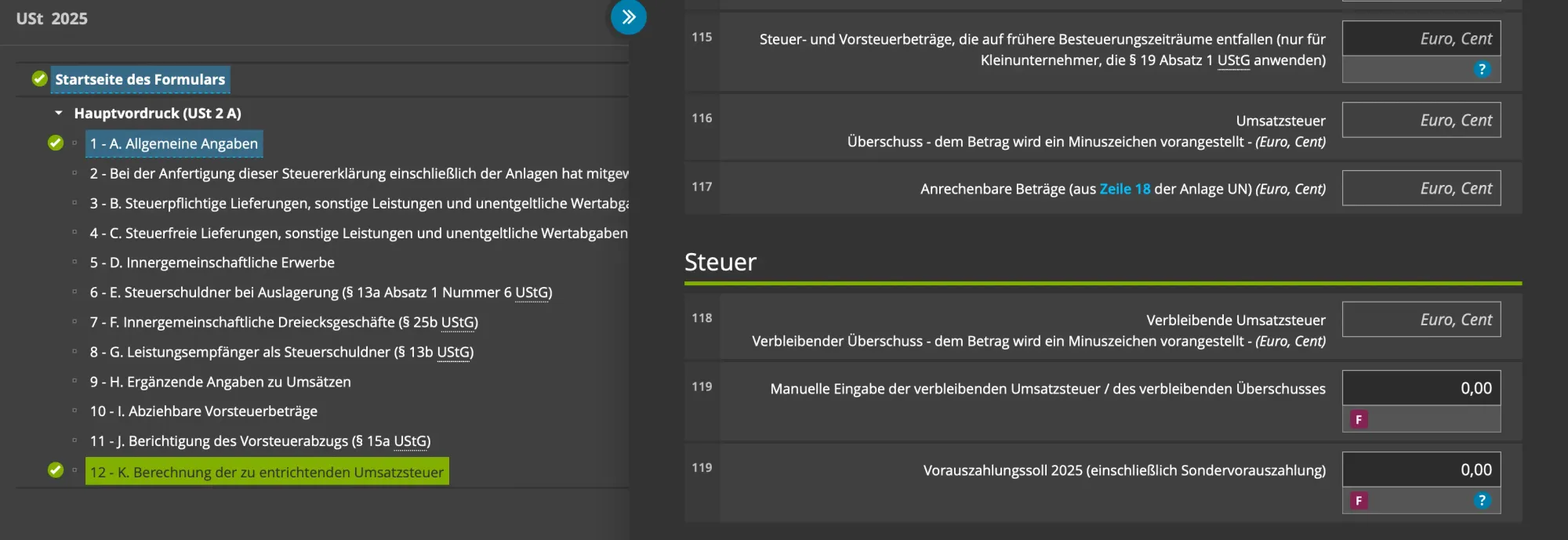
That’s it for the sales tax form.
Gewerbesteuererklärung
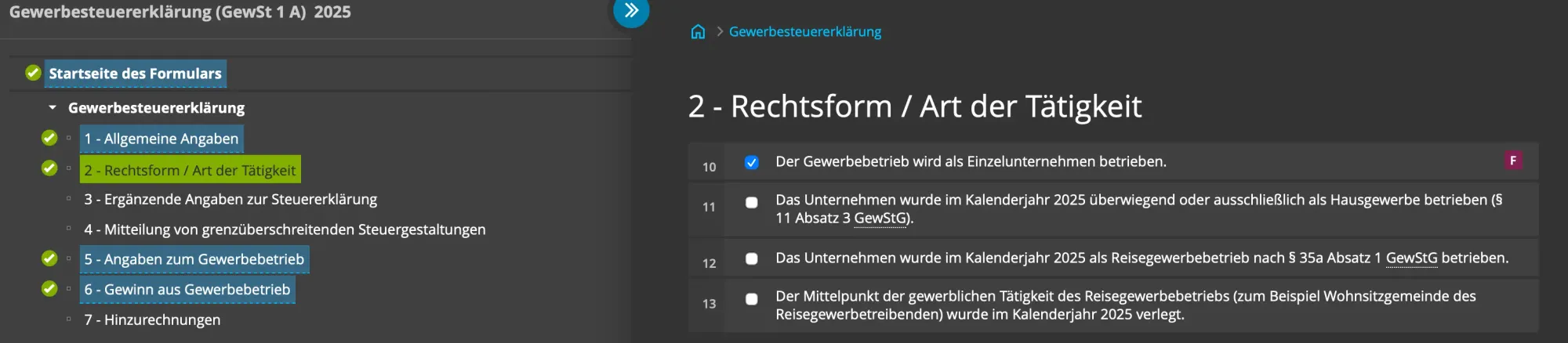
On this form, after filling in the first section “Allgemeine Angaben”, you move to the second section “Rechtsform / Art der Tätigkeit”. Here I select the first option “Der Gewerbebetrieb wird als Einzelunternehmen betrieben.”, since I have an Einzelunternehmen.
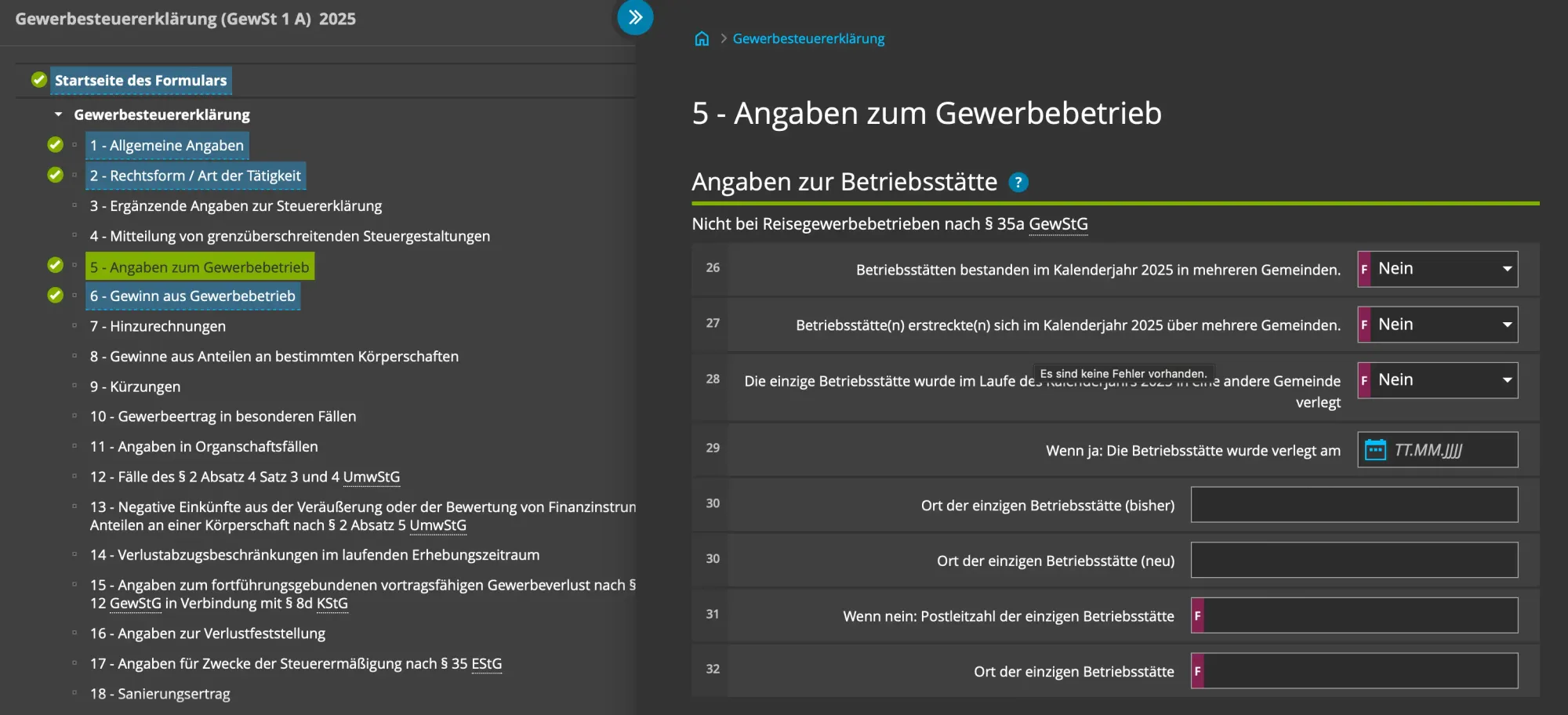
Then, you jump to the fifth section (Angaben zum Gewerbebetrieb), under “Angaben zur Betriebsstätte”, and select “Nein” for the first three fields. These are related to the location of your business. If you make any changes, you might need to select a different option. Since you selected “Nein”, you also fill in the fields “Wenn nein: Postleitzahl der einzigen Betriebsstätte” and “Ort der einzigen Betriebsstätte” with the zip code and city of your business.
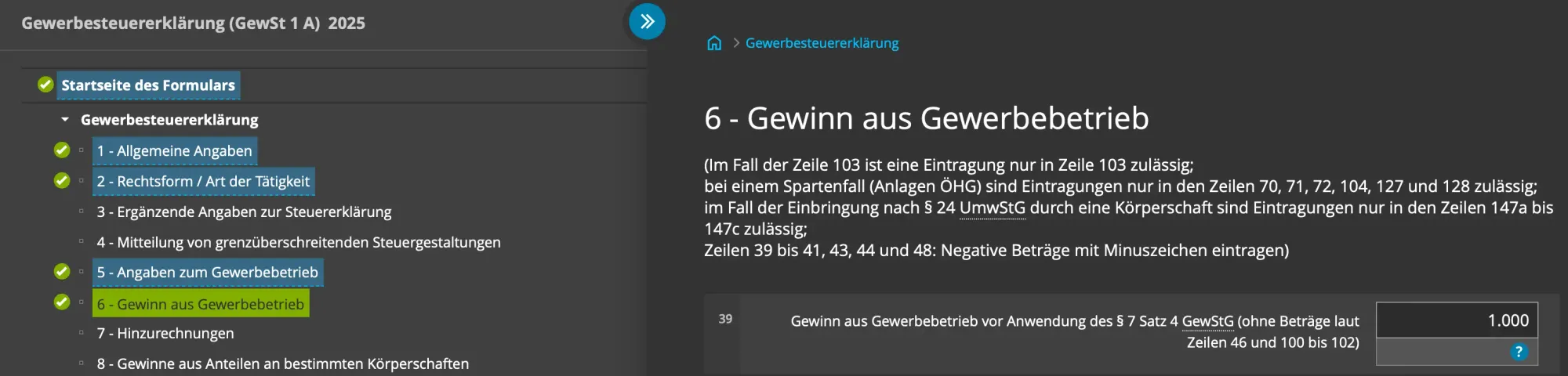
After you are done with the fifth section, you visit the sixth section (Gewinn aus Gewerbebetrieb). Here, you fill in the “Gewinn aus Gewerbebetrieb vor Anwendung des § 7 Satz 4 GewStG (ohne Beträge laut Zeilen 46 und 100 bis 102)” field with the net profit or loss number you wrote down from the EÜR form.
That’s it for the trade tax form.
Conclusion
I hope you find this blog post useful. I should mention that the content of the forms changes almost every year, so the things I showed might be in a different place if you are reading this in a different year.
As I said in the beginning, I’m not a tax advisor. I just wanted to share how I file my tax returns on Elster for my app business. The reason I’m sharing this is that I don’t want people to be discouraged from starting a business. I believe the Finanzamt would think the same. People should not be afraid of the Finanzamt. By declaring your taxes, you are already showing that you are honest. If you make a mistake, the Finanzamt will probably let you know and won’t punish you for it.
As long as you declare the right numbers for your income and expenses and don’t try to inflate your expenses to pay less tax, I don’t think you would be in trouble with the Finanzamt. Especially if you’re reading this post and not making millions of euros per year, because in that case you would probably already be working with a tax advisor and the numbers would also matter more to the Finanzamt. :)
If you’re reading this post, you are most likely developing apps for Apple platforms. If you would like to get a better overview of your sales, keyword rankings, and customer reviews, take a look at my app, Peek.
No spam, no sharing to third party. Only you and me.
Member discussion